
by Kristopher Sheehy
So, you’ve invested in the Swiss army knife of audio interfaces, and now it’s time to send your exceptional vocal track from your DAW to some external hardware using your brand-new Neumann MT48. While this may seem daunting, rest assured—I’ve got you covered. Just follow the steps below, and you’ll be fully operational in no time.
- Identify what DAW you’re using. Your DAW will have its own unique process of routing audio in and out of your computer. Be sure that this side is figured out before you get started. If you need extra help routing in your DAW please let us know.
- For this example, we will work with LINE 3
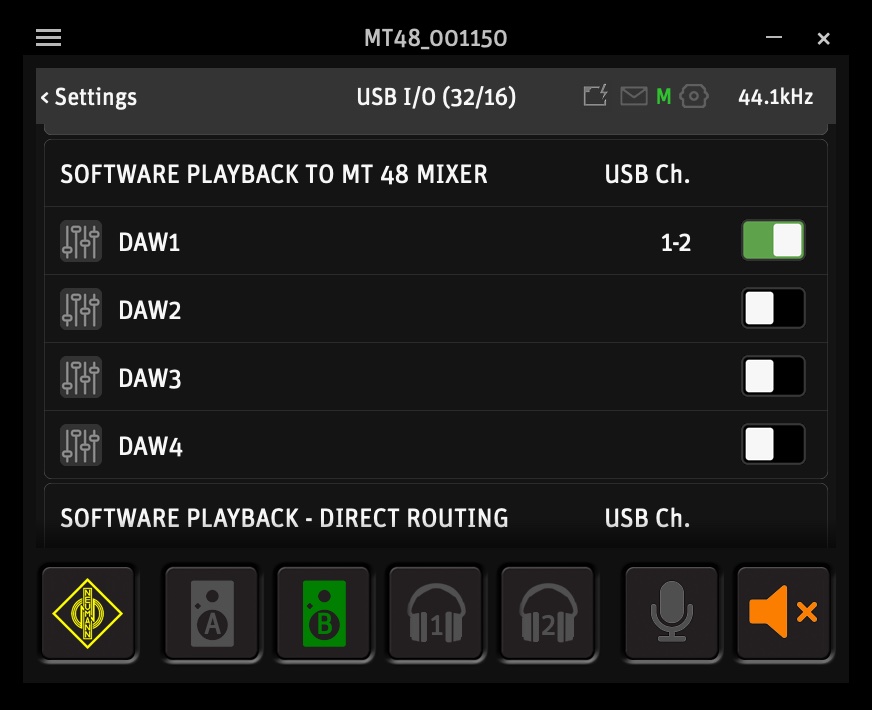
- Navigate to Menu > Settings > USB I/O > Software Playback. From here activate DAW1. Output 1 and 2 are now consumed.
- Within the same menu, scroll down a bit and find “Software Playback – Direct Routing”. Activate LINE OUT 3/4.
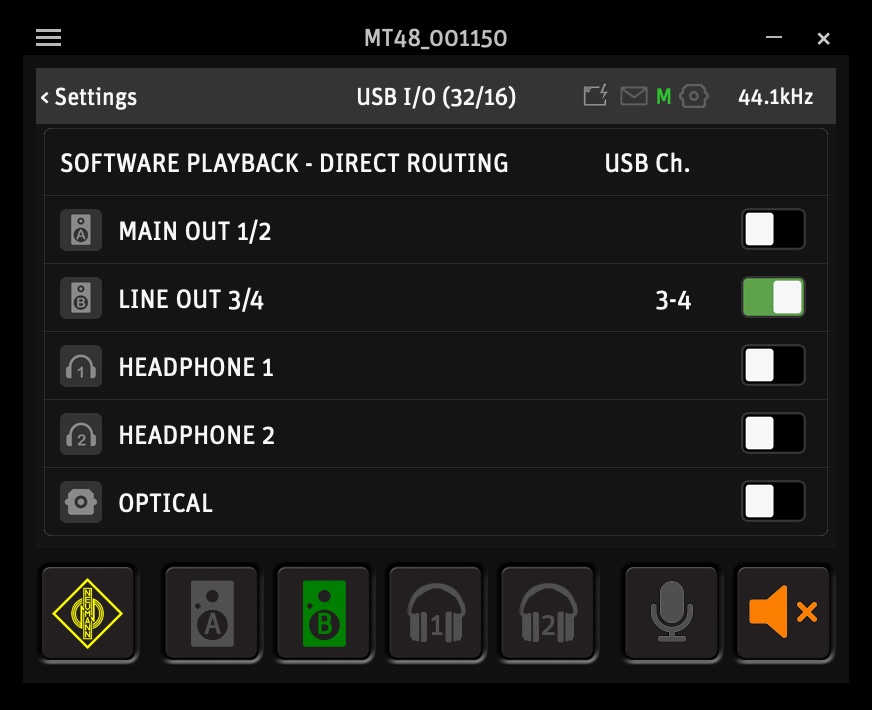
- LINE OUT 3 and 4 are now able to be used as mono LINE OUTPUTS.
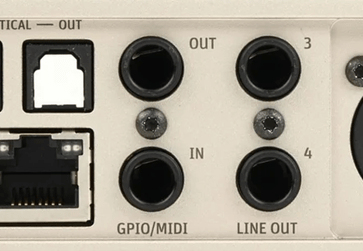
- Now in your DAW send your audio signal OUT LINE 3.
- Using a balanced TRS cable you can now come OUT of LINE 3 via the MT48 and IN to your external hardware INPUT.
- Route OUT of your external hardware back IN to the MT48 LINE IN 3.
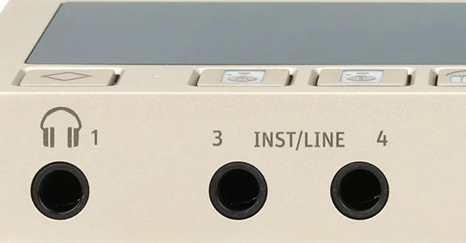
- At this point you should be able to hear the signal of your DAW being affected by the external hardware. You may also be hearing the original audio signal at this point (hearing double). To remedy this “hearing double” you must mute LINE 3 via the MT48.
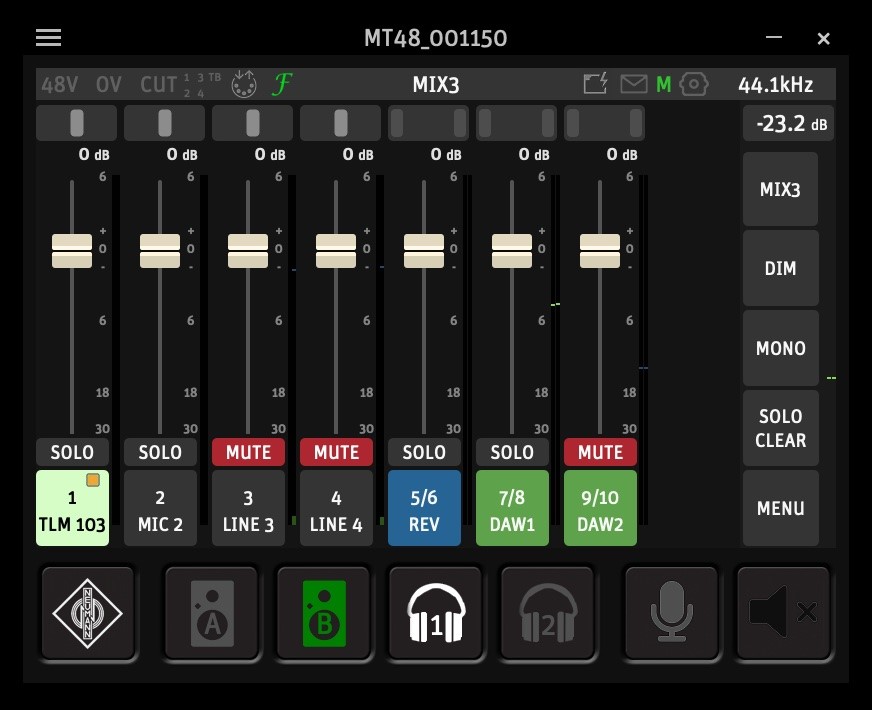
- Success! You are now routed and will only hear the signal post processing in real time.
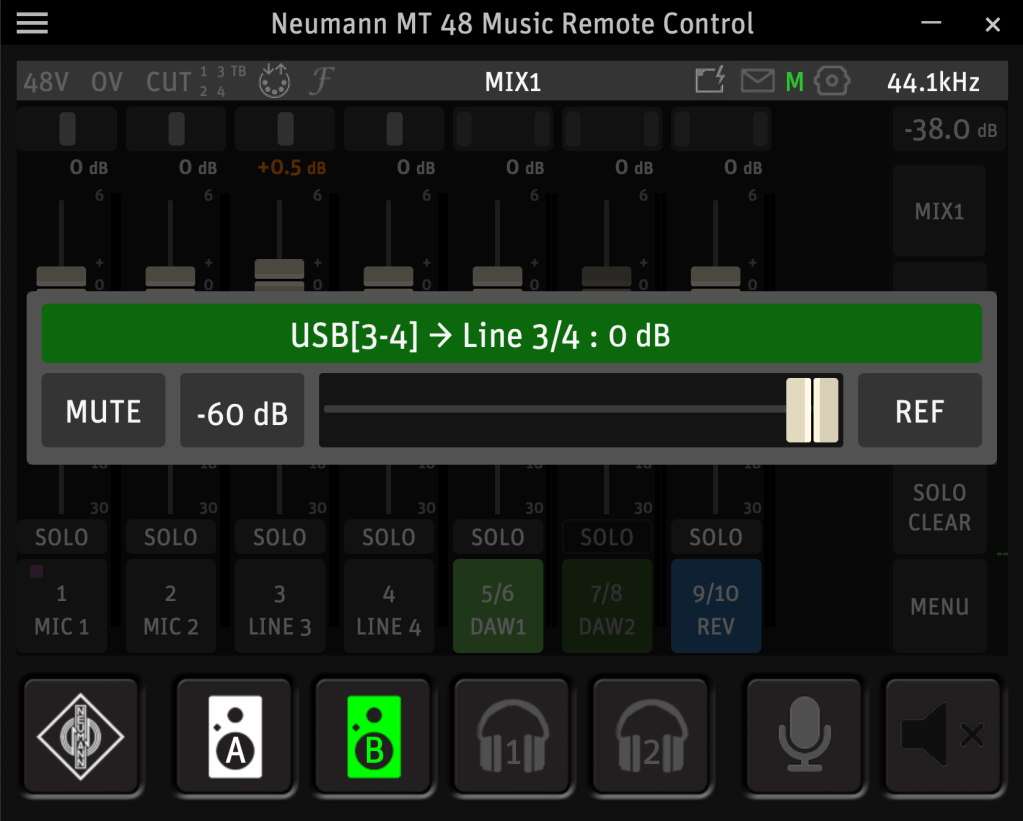
- If the signal is quieter then you’re expecting, select the green (B) monitor button and adjust (in this example) LINE 3 to UNITY (0dB).
Happy mixing!

 Creator Audio, Simplified
Leave a reply to Anonymous Cancel reply