
by Kristopher Sheehy
There are two distinct types of audio engineers in this world. Some prefer a dry recording, which allows for extensive manipulation in post-production, offering the utmost flexibility. On the other hand, some musicians opt for a wet recording to streamline their workflow in post. While this may provide less flexibility, those who understand their craft can work with remarkable speed and efficiency!
If you’re uncertain and seeking an alternative, the Neumann MT48 has the perfect solution! The “ANALOG IN POST FX” feature allows you to record the source both with and without processing simultaneously, providing a backup option that saves the day!
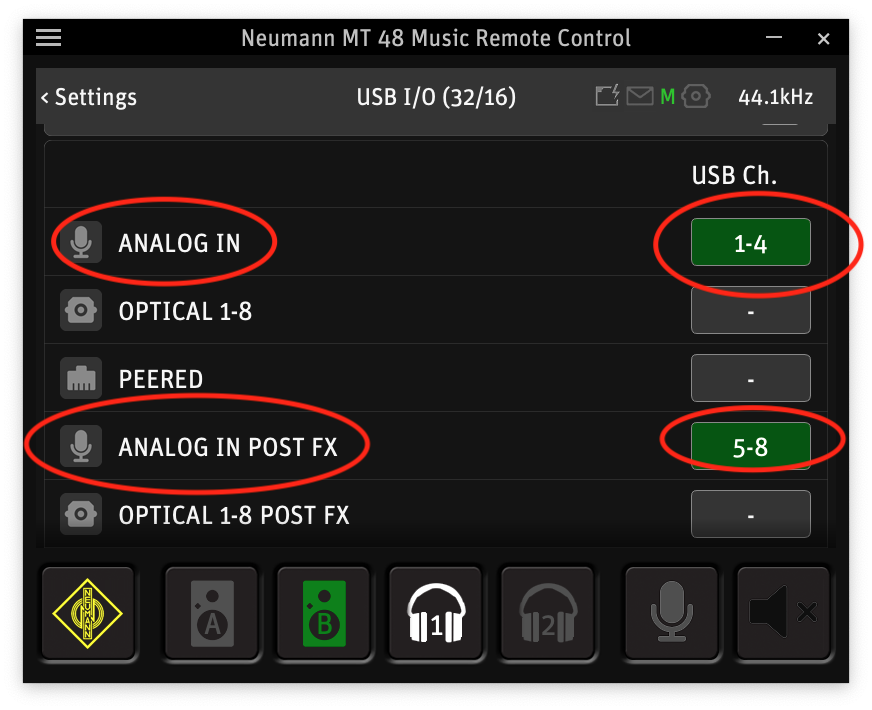
To accomplish this, simply navigate through the touch screen of your MT48: Menu > Settings > USB I/O. Once you’re there, enable “ANALOG IN POST FX.” This will seamlessly incorporate the EQ and Dynamics processing into their respective channels. In this case we have the MT48 enabled to record unprocessed audio via USB CH 1-4 and processed audio via USB CH 5-8. (See Figure 1)
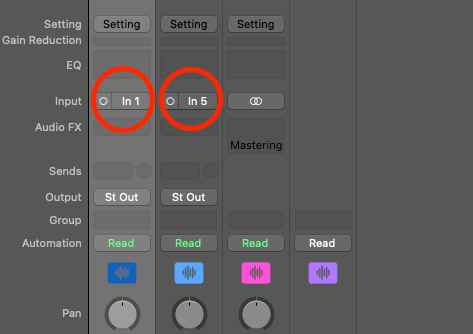
The final step is to set up our DAW. Below, I’ve provided a clear example using Logic. (See Figure 2 & 3)
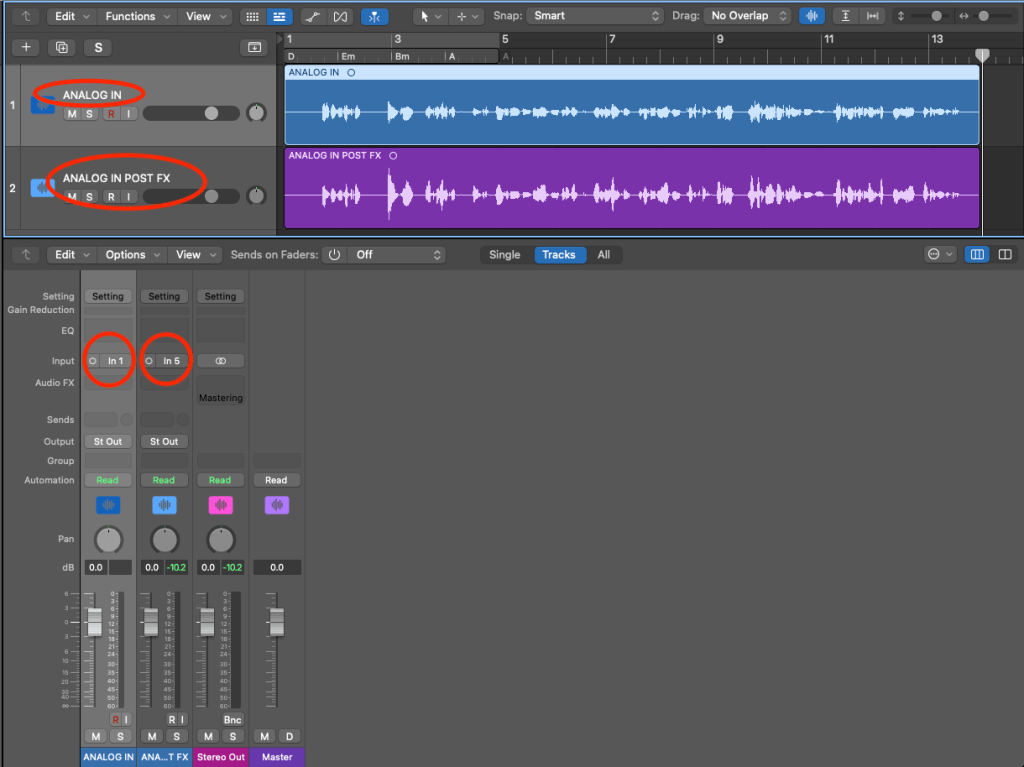
Notice how I’ve routed the unprocessed audio to Input 1 and the processed audio to Input 5. Once this is done, all that’s left is to hit record and let the magic happen!
 Creator Audio, Simplified
Leave a comment